Discordコミュニティに
リアルタイム翻訳を
メッセージの自動翻訳、言語をまたいだユーザーのウォッチで、コミュニケーションの溝を埋めます。無料で、透明で、瞬時。
いま光っているのは0か国 — どれも、このBotが最近その言語を翻訳した場所です。
40秒のツアーを見る
40秒のアニメーションツアー:チャットでの翻訳の見え方、続いてWebサイト、インストール、セットアップを紹介します。
Now it teaches, too.
The bot that translates your server can now teach your members the language. Rounds of four questions free, or ten with プレミアム, in twenty-eight languages: recognise a phrase, pick it out from four, and in twenty-four of them type it from memory. A round takes a few minutes. Streaks, combos, levels, and a card to show for every round. No AI per message, and the tutor itself is free: the lessons were written once, ahead of time, and typed answers are marked by rules written for each language.
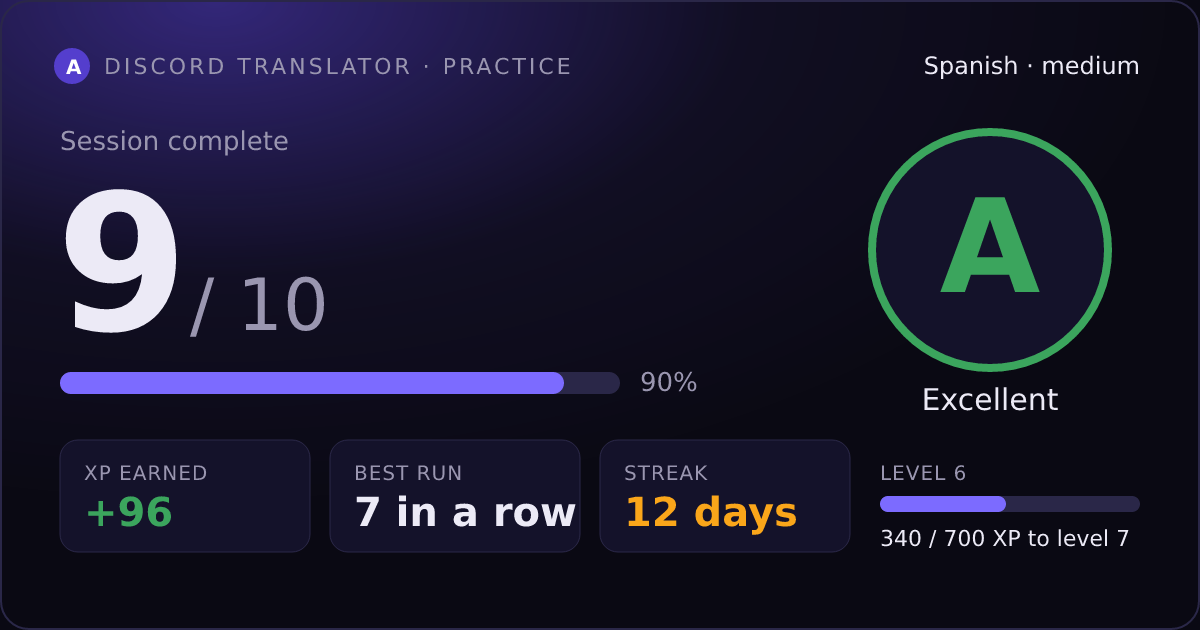
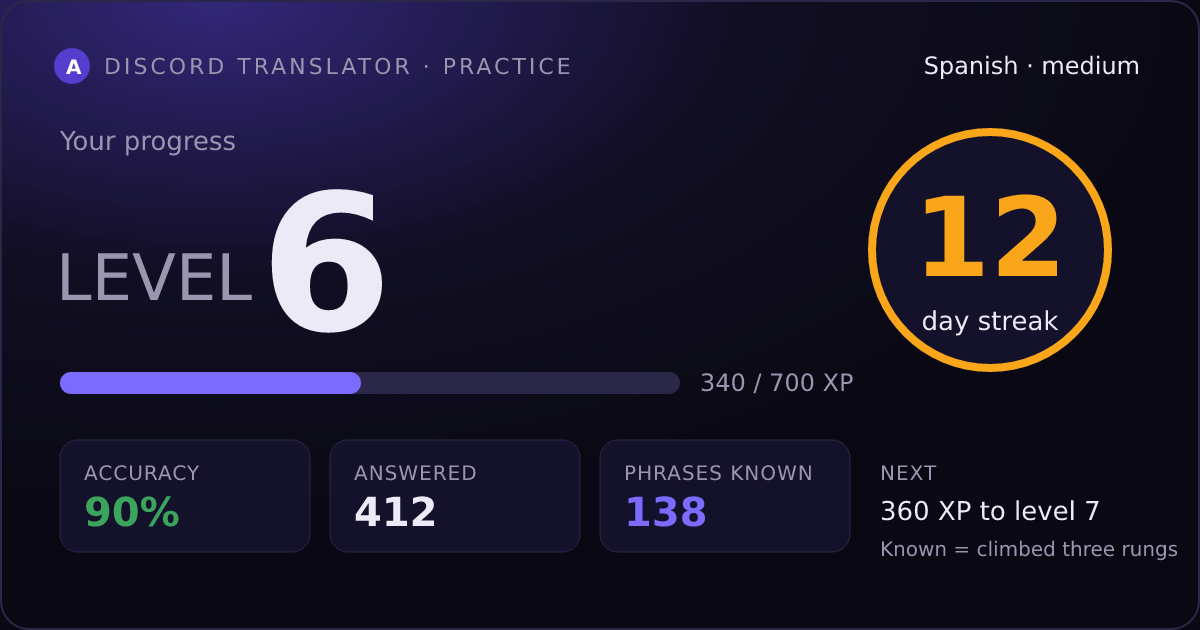
/practice stats — your level, streak, accuracy and the phrases you actually know.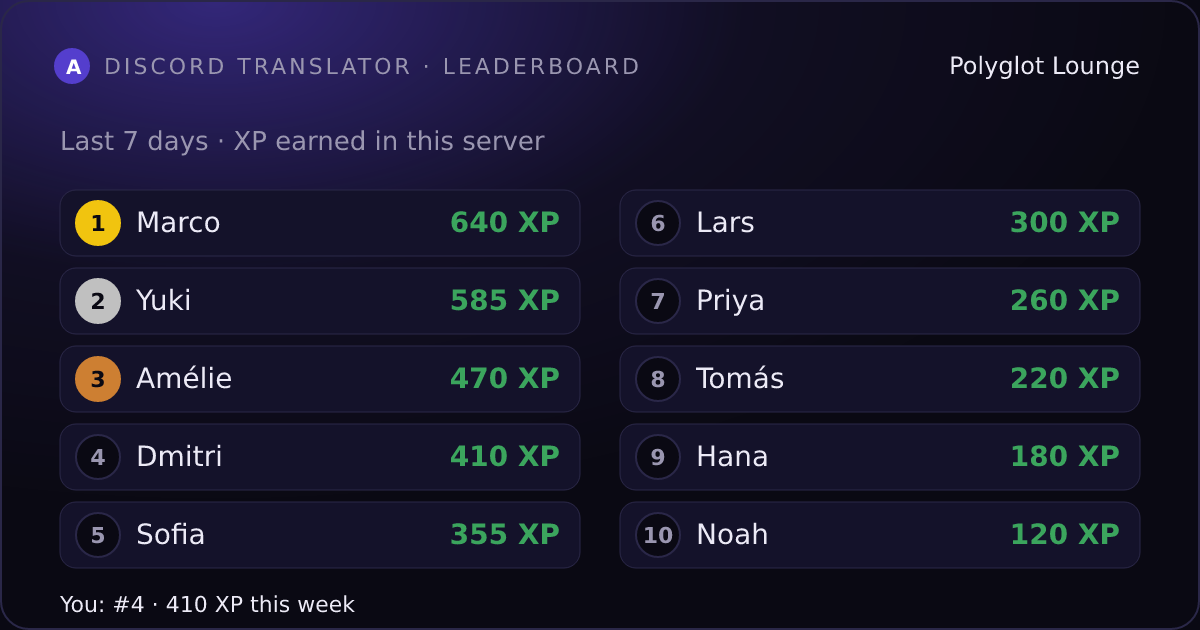
/practice leaderboard — your server's top ten, or the global board./practice remind nudges you at your own hour./practice start works in any server with the bot, or in DMs. Stop any time with one button. Every answer counts the moment you give it.機能
Botのさまざまな使い方
シームレス翻訳
元のメッセージが翻訳に置き換えられ、投稿者の名前とアバターで投稿されます。 Server Pro
柔軟な範囲指定
/server seamless-channel などのコマンドで、特定のチャンネル・カテゴリー・ユーザーだけにシームレス翻訳を適用できます。
右クリックで翻訳
メッセージを右クリック → アプリ → 「Translate Message」でそのメッセージを、「Translate from here」でそのメッセージと続く15件を翻訳し、会話に追いつけます。結果はあなただけに表示され、/settings language で別の言語を選ばない限り、Discordアプリの言語で表示されます。
ユーザーインストール
Botを自分のDiscordアカウントに追加すると、/translate と Translate Message がどのサーバーやDMでも使えます。Botのいないサーバーでも使えます。 自分のアカウントに追加
サーバーごとの設定
/settings server-language で、サーバーごとに異なる優先言語を設定できます。
プレミアムプライバシー
保存された翻訳はAES-256-GCMで暗号化して保管され(鍵は当方のサーバーにあります)、プランのスケジュールに従って自動削除され、サイトの公開翻訳数には含まれません。 詳しく見る
実際の動きを見る
誰かが別の言語で発言すると、Botが即座にそのメッセージを翻訳。/watch でこのサーバーの特定ユーザーのメッセージを翻訳してDMで受け取ったり、/translate で必要なときだけ翻訳したりできます。
スラッシュコマンド
言語の壁を越えるために必要なすべて
運営を続けるために必要なもの
テキスト翻訳は軽い処理です。音声はそうではありません。話す1秒1秒が実際のマシンでの実際の処理で、通話がにぎやかになるほど多くのマシンが必要になります。サブスクリプションと寄付が成長を支えています。
プロジェクトを支援する
Discord Translator には誰でも使える無料プランがあります。寄付はまず運営費にあてられ、残りは開発に使われます。
28 languages, one greeting in each. Hover to read.